No products in the cart.

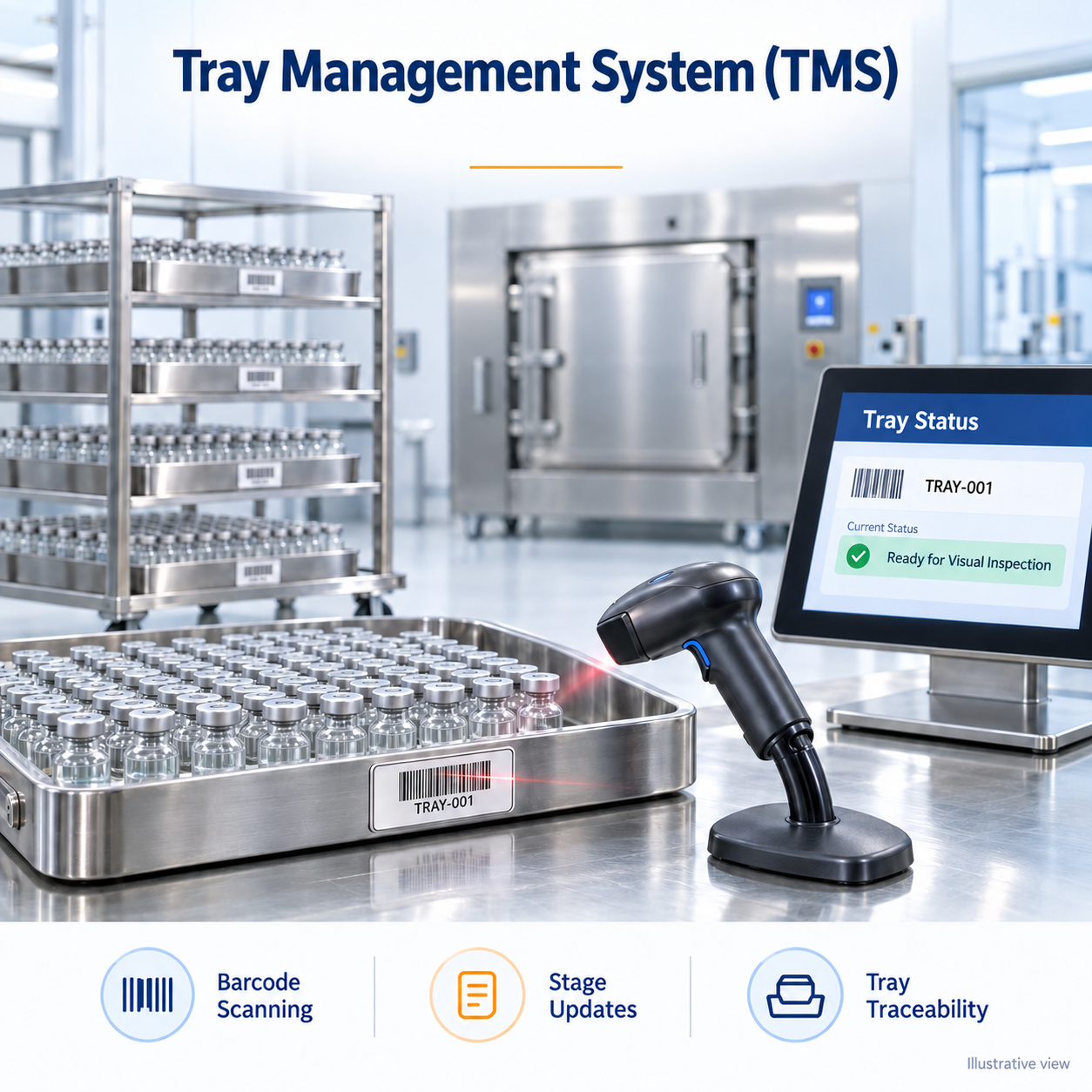
Tray Management System (TMS) for Terminal Sterilization Facilities:
Managing hundreds of trays across multiple production stages is a daily challenge.
Sticker labels, Paper logs, manual updates, and errors don’t just slow you down — they put compliance at risk.
That’s why we built the 𝐓𝐫𝐚𝐲 𝐌𝐚𝐧𝐚𝐠𝐞𝐦𝐞𝐧𝐭 𝐒𝐲𝐬𝐭𝐞𝐦 (𝐓𝐌𝐒) — a smarter way to handle trays with speed, accuracy, and confidence.
🔹 Scan trays instantly with barcodes
🔹 Update production stages in seconds
🔹 Track every tray with real-time visibility
Demo Video Link: https://youtube.com/shorts/a2DQyDIJ8sc
📊 The impact?
✔ No more printing of labels on every stage of production
✔ Fewer manual errors
✔ Clear traceability for audits
✔ Smoother, compliant operations
Pharma manufacturers who want to digitize and simplify tray management — this is your next step toward operational excellence.
Barcode-Based Identification | Stage-Wise Tray Visibility | Digital Movement Updates
Simplify tray tracking across your injectable manufacturing operations with Confianca Pharmazon’s Tray Management System (TMS).
Managing trays through multiple production stages can become difficult when teams rely on paper logs, repeated label printing and manual status checks. TMS brings tray identification and production-stage updates into a digital interface, helping operators identify trays, review their recorded status and update their progression through the defined workflow.
Designed for injectable manufacturing facilities, including aseptic processing and terminal sterilization operations, TMS supports clearer coordination between production, testing, visual inspection and packaging activities.
Request a Demonstration | Discuss Your Facility’s Requirements
TMS is a digital tray-management solution that uses barcode identification and stage-based records to help teams manage trays throughout production.
Each tray is associated with a Tray ID and barcode. Operators can scan the barcode, view trays within a selected stage and update their recorded movement to the next stage.
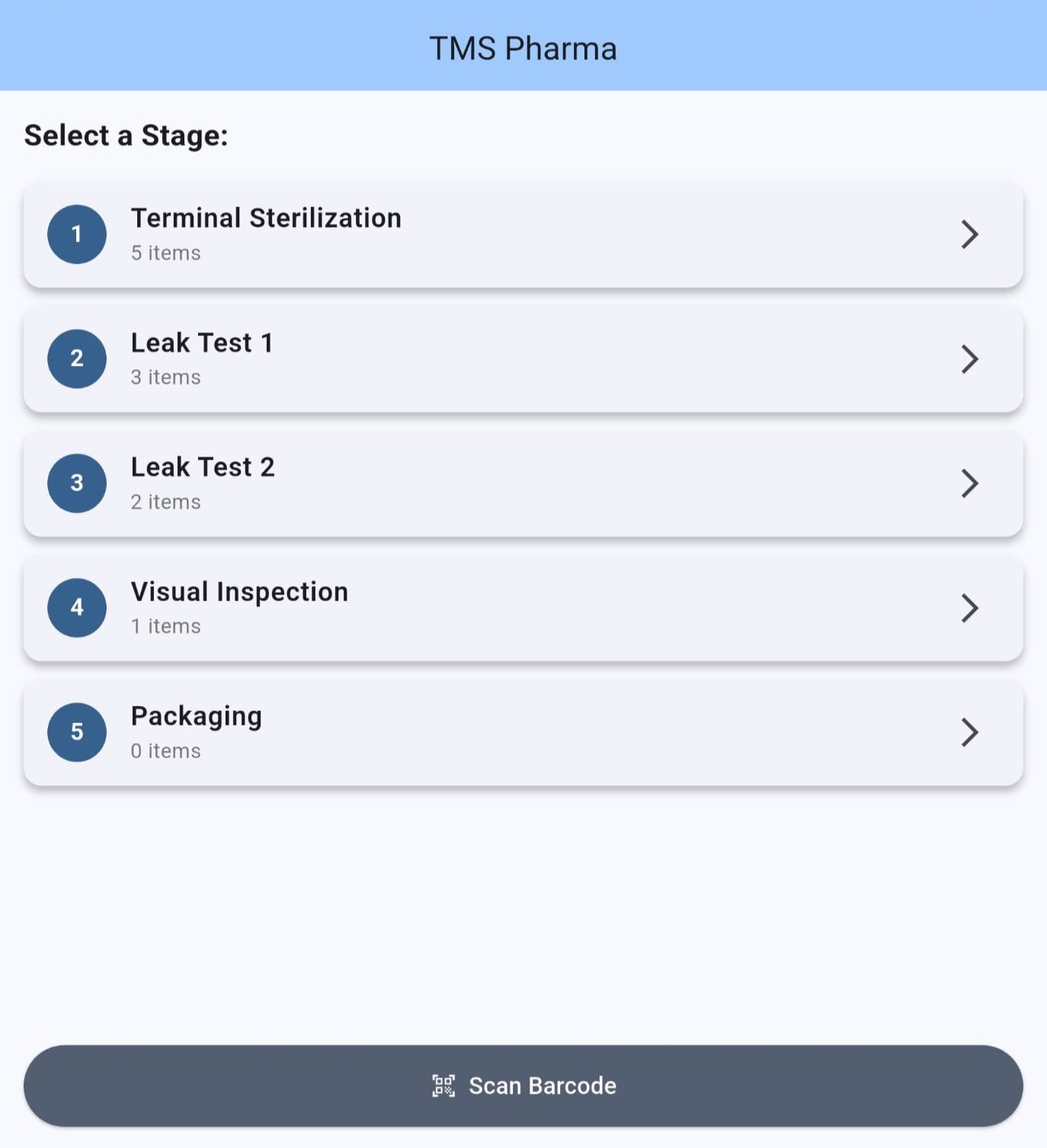
The dashboard presents production stages with their associated tray counts, providing an overview of the distribution of trays across the configured workflow.
Identify trays through barcode scanning, reducing reliance on manually typing or transcribing tray identifiers. A dedicated Scan Barcode option provides convenient access to this function.
View the configured production stages and the number of trays recorded in each stage. This helps teams understand the current distribution of trays and coordinate upcoming activities.
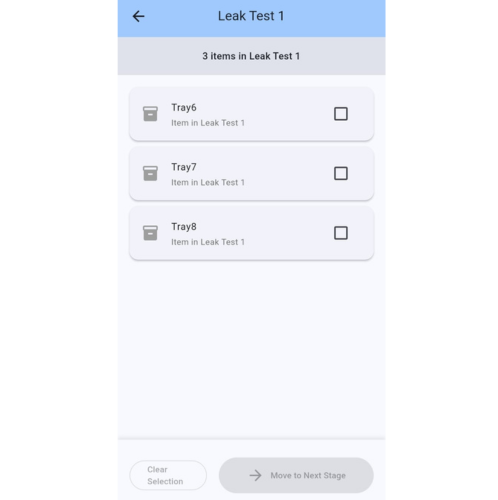
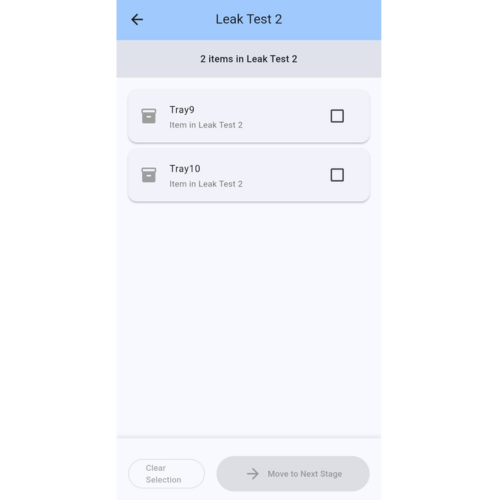
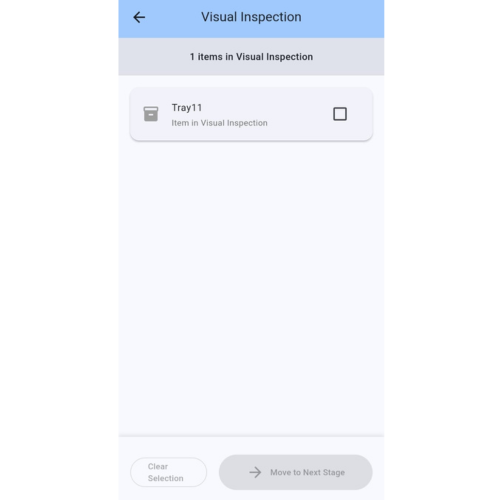
Open a stage to view the trays assigned to it. Clearly displayed Tray IDs help operators locate the relevant records before making an update.
Select one or more trays from a stage list for movement to the next stage. This supports efficient updates when several trays progress together.
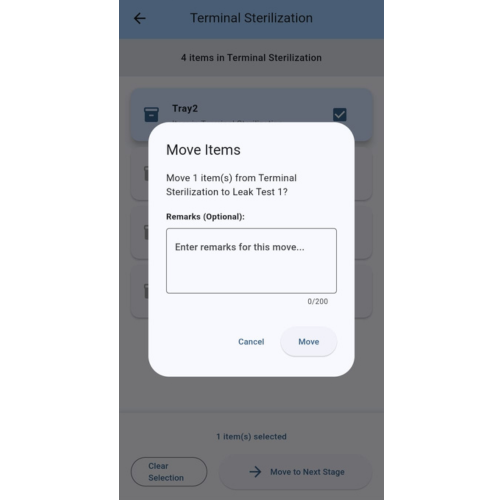
Before completing a move, the system displays a confirmation showing the selected quantity, current stage and destination stage. Operators can review the proposed transfer before confirming it.
Add remarks when moving trays between stages to provide relevant operational context. This allows operators to include a short explanation with the movement update.
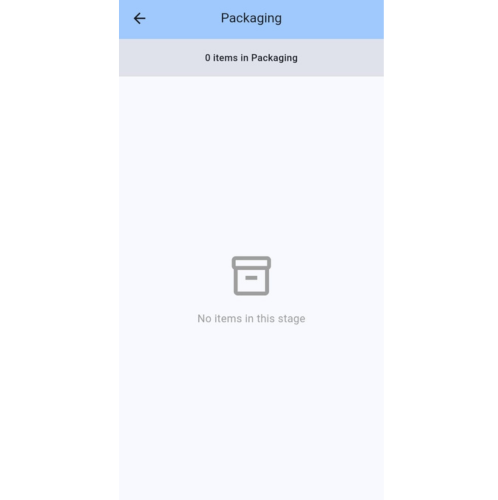
When no trays are recorded in a stage, the system displays an empty-state message. Teams can distinguish stages containing trays from those with no current entries.
Use the tray’s barcode identity alongside digital status updates to reduce the need for a new stage label at each operation, subject to the facility’s approved labelling procedures.
1. Establish Tray Identification
Associate trays with their Tray IDs and barcodes within the batch workflow.
2. Review the Stage Dashboard
Check the number of trays recorded at each configured production stage.
3. Identify the Required Trays
Use barcode scanning or open the relevant stage list to locate tray records.
4. Select Trays for Transfer
Select the trays that are ready to progress according to the facility’s operating procedure.
5. Review and Confirm the Move
Check the source stage, destination and selected quantity. Add optional remarks and confirm the update.
6. Monitor the Updated Status
Review the tray listings and stage counts to coordinate subsequent activities.
TMS is intended for tray management across injectable manufacturing operations. The required stages and sequence are established according to the facility’s process and the agreed system configuration.
The example screens demonstrate the following workflow:
| Example Stage | Tracking Function |
|---|---|
| Terminal Sterilization | Groups trays recorded at this stage where terminal sterilization applies. |
| Leak Test 1 | Displays trays assigned to the first leak-test stage. |
| Leak Test 2 | Displays trays assigned to the second leak-test stage. |
| Visual Inspection | Displays trays recorded at the visual inspection stage. |
| Packaging | Displays trays that have progressed to the packaging stage. |
This is an example configuration. Aseptic processing facilities and other injectable operations can discuss their applicable stages, handover points and tracking requirements with our team.
Recorded tray status reflects updates made in the system. It does not independently establish completion of processing, acceptance of test results or product release.
See how trays are distributed across the configured stages without relying solely on separate paper logs or verbal updates.
Give teams a shared reference for the tray’s recorded stage, helping the next operation identify the relevant trays.
Barcode identification and the ability to select multiple trays reduce repeated identification and update tasks.
The transfer confirmation step gives operators an opportunity to review the selected trays and destination before recording a move.
Optional remarks help communicate information relevant to a particular movement.
Structured digital tray information helps teams review recorded production status and coordinate follow-up activities.
TMS is relevant to facilities that:
Before implementation, we review your tray-management process, production stages and operating requirements.
The discussion can cover:
The available functionality and delivery scope are confirmed during the project assessment.
See an example of the system in operation:
Watch the Tray Management System Demo
Move towards organised tray identification, simpler production-stage updates and better coordination across your injectable facility.
Confianca Pharmazon’s Tray Management System is a digital solution for identifying and tracking trays across production stages in injectable manufacturing facilities. It combines barcode-based identification, stage updates and a dashboard to help teams manage tray progress.
No. TMS is intended for injectable manufacturing facilities, including aseptic processing and terminal sterilization operations. The applicable stages and workflow are defined according to the facility’s production requirements.
Each tray is assigned a Tray ID and barcode. Operators scan the barcode to identify the tray within the system, reducing the need to manually enter or transcribe tray identifiers.
The demonstrated workflow includes terminal sterilization, leak testing, visual inspection and packaging. The stages required for your facility are discussed during project planning, with terminal sterilization included where applicable.
Yes. The dashboard displays the number of trays recorded at each production stage. Operators can open a stage to view its individual tray entries, helping teams coordinate upcoming activities and handovers.
Operators select the relevant trays and choose “Move to Next Stage.” A confirmation window displays the proposed transfer for review before the recorded stage is updated.
Yes. The interface allows operators to select multiple trays within a stage and move the selected entries to the next stage together. This helps reduce repetitive updates when several trays progress through the same operation.
Yes. An optional remarks field is available during the transfer confirmation step. Operators can add relevant information to provide context for the stage update.
TMS provides visibility of each tray’s latest recorded production stage. This information depends on operators completing the required scans and updates as trays progress through the workflow.
TMS helps reduce the need to print a new stage label at every production step by using the tray’s barcode identity alongside digital status updates. Required physical labels remain subject to the facility’s approved procedures.
Barcode scanning reduces manual entry of tray identifiers, while tray selection and transfer confirmation help operators review updates before applying them. Together, these features support more consistent recording and clearer production handovers.
The recorded stage indicates the tray’s position within the tracking workflow. Processing completion, test acceptance and product release remain governed by the facility’s approved procedures and supporting records.
Digital tray identification and stage information can support operational reviews and help teams organise information for audit preparation. Specific requirements for historical records, reporting and retention should be discussed when defining the project scope.
Your production stages, tray volumes, identification practices and handover points can be reviewed during project discussions. The required workflow and available configuration options are agreed before implementation.
Contact Confianca Pharmazon to arrange a demonstration and discuss your tray-management requirements. Sharing your production stages, approximate tray volumes and current labelling process will help us assess the proposed application.
Contact Confianca Pharmazon to discuss your workflow and request a demonstration.
Confianca Pharmazon — Confianca Technologies LLP
Phone: +91 91733 19482
Email: gaurav@confiancapharmazon.com




Reviews
There are no reviews yet.